
Turnitin

Turnitin
What is Turnitin?
TurnItIn is an educational software suite that enables staff and students with the ability to check submitted assignments via Brightspace for unclear referencing, citation issues, or potential instances of plagiarism.
Its purpose is to educate students on proper citation and referencing techniques. Additionally, TurnItIn is utilised by the TU Dublin to ensure the academic integrity of students' work.
How does Turnitin work?
TurnItIn compares a student's assignment submission on Brightspace against various sources, including an archive of Internet documents, Internet data, a repository of previously submitted papers, and a subscription repository of periodicals, journals, and publications.
Subsequently, TurnItIn generates an "Similarity Report" that can be accessed by both instructors and students. This report highlights instances where the text in a student's submission matches another source.
Remember: Lecturers can decide to enable TurnItIn on assignments in Brightspace.
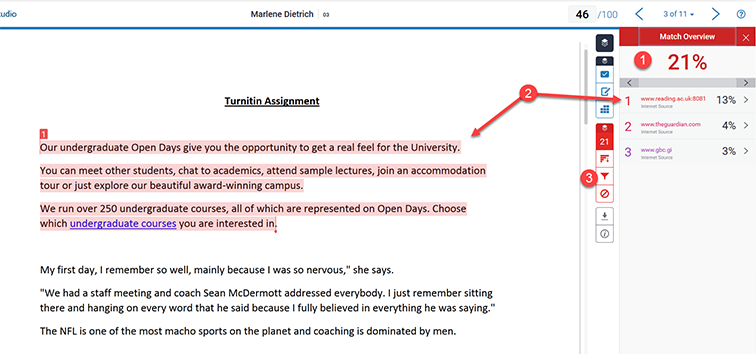
If the student is using Brightspace - they can see the score via their submission screen.

Staff view of submission screen

How do I use Turnitin?
The TurnItIn service integrates seamlessly with your virtual learning environment (VLE) Brightspace.
We have combined and created a list of user guides and videos for you to use TurnItIn :
For staff: using Brightspace
- View our TurnItIn Staff User Guides
For students - using Brightspace
- View our TurnItIn student user guides via our Brightspace Guides for Students page