
Multi Factor Authentication
What is multifactor authentication (MFA)?
Multifactor authentication (MFA) adds a layer of protection to the sign-in process. When accessing accounts or apps, users provide additional identity verification, such as scanning a fingerprint or entering a code received by phone.
Multi-Factor Authentication
Multi-factor Authentication (MFA) or Two-step verification is a security feature that TU Dublin is deploying to protect your account.
Two-step verification is more secure than just a password
- it relies on two forms of authentication: something you know, and something you have with you.
Why is it useful?
- Using two-step verification can help protect your account, as it prevents malicious hackers from signing in to your account if they know your password.
- TU Dublin highly recommends using the Microsoft Authenticator App
How do I setup MFA using the App?
Complete the following steps to setup MFA via the app:
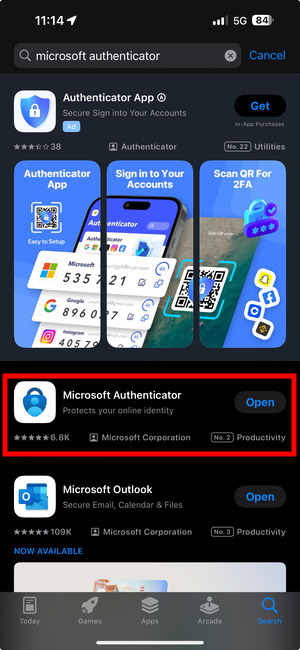
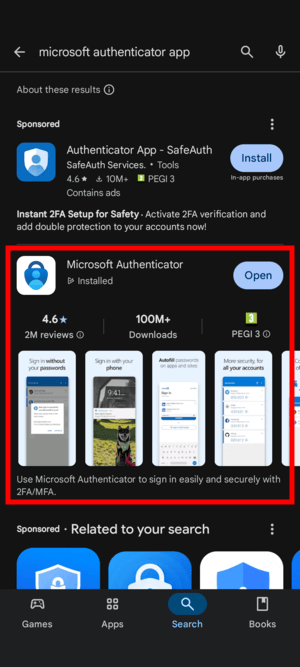
- Step 1. Install the Microsoft Authenticator App for Windows Phone, Android or iOS on your mobile device (Make sure its the correct app from Microsoft - do not pay or install a 'Sponsored App'. The Microsoft Authenticator app is free!)
- Step 2. Go to https://aka.ms/mfasetup and sign in with your TU Dublin account.
- Step 3. Select the method you wish to use for MS to contact you. To set this up, follow the instructions below
Under How should we contact you?, select Mobile app, and chose the option Receive notifications for verification
- Click Setup to configure the mobile app
An image similar to the one below will be displayed on your browser
- Follow the instructions above by opening up the Authenticator app on the phone, selecting add account, choosing “Work or School Account” and scanning the QR code.
If you are unable to scan the QR code, you can enter in the 9 digit code below the QR code instead.
- Once the account has been added to the device, click next.
- A notification will be sent to the authenticator app to test it works.
- Check your mobile device and select the approve option on the screen.
Depending on the setup of your mobile device, it may ask you to confirm the approval by using your fingerprint or by entering your pin number.
Important Note:
- You will only be prompted for MFA when logging in from a device that is not connected to the TU Dublin network.
Alternative method
- If you do not have a smartphone and wish to receive a text message containing a 6 digit code, please select the option of Authentication by phone instead of Mobile App and follow the instructions on the screen
The video below will show you the steps to set up MFA
MFA FAQ
Get a bit more detail about MFA and find answers to commonly asked questions about it.
Answers to questions about MFA