
Printing
Printing, Photocopying & Scanning
The New Unified Managed Print Solution, provided by MJ Flood, provides staff and students with secure printing, copying, and scan-to-email services using the Multi-Function Printer (MFP) devices located throughout the University.
General information:
- Print jobs can be sent to the "Safe Q TU Dublin" print queue and securely released from any MFP device
- You may print Black & White or Colour print jobs from any MFP device
- Collect your print jobs within 24 hours
- You must authenticate to use a MFP device & collect prints using your TU Dublin staff/student card and pin
- Double-sided Black & White printing is default
Contact
For any queries on printing, copying or topping up your account, please contact MJ Flood at service@mjflood.ie or 01-4663500
How to Use the Multi-Function Printers
To log in at an MFP you will need a PIN code and a registered TU Dublin Student or Staff card.
You can generate a PIN code by going to print account portal web address:
https://print-account.tudublin.ie
- Login to the print account portal with your TU Dublin credentials.
- Select "Generate PIN" option
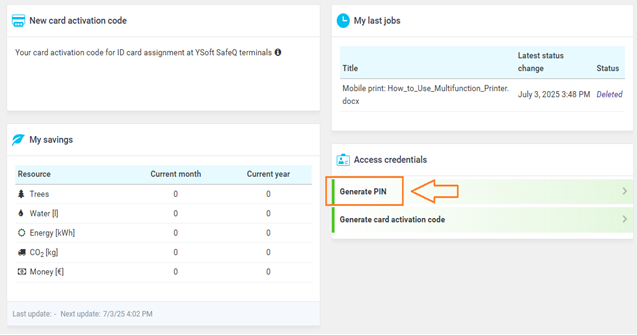
- Your unique PIN will be displayed at time of generation and an email containing your PIN will also be sent to your email address.
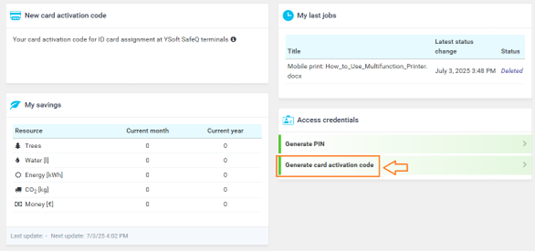
Please note, if your TU Dublin card isn’t recognised at a Multi-Function Printer, you can generate a card activation code and register it against your account at one of the printers.
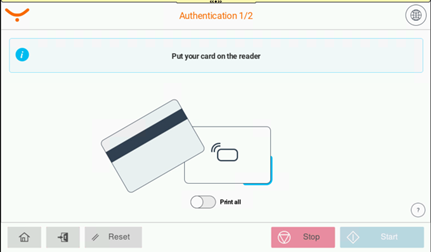
Login to Multi-Function Printer.
- Tap your TU Dublin card over the card reader.
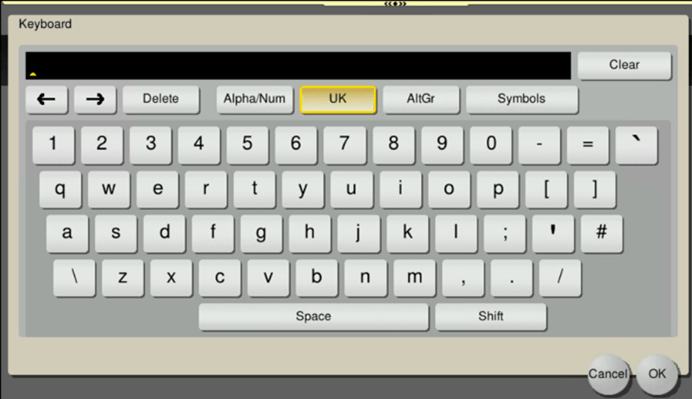
- Enter your PIN code at Multi Function Printer touch screen
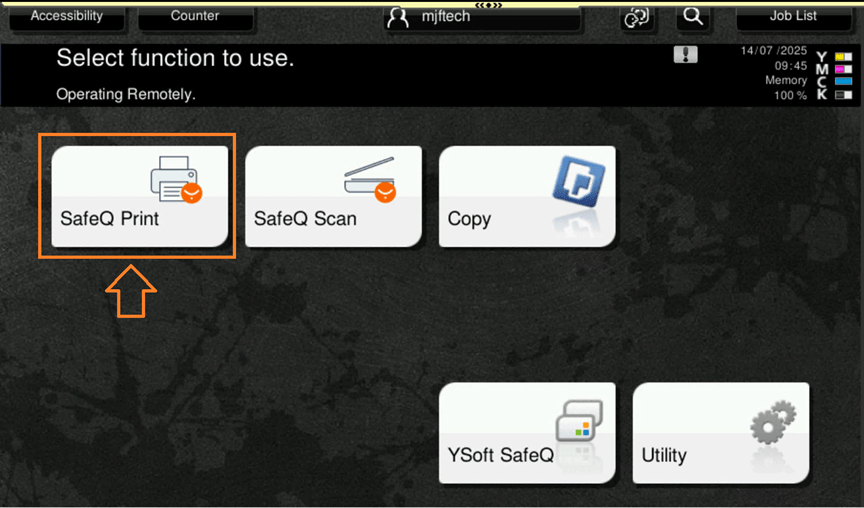
- Tap “SafeQ Print” on the touch screen.
- Select print job/s to print
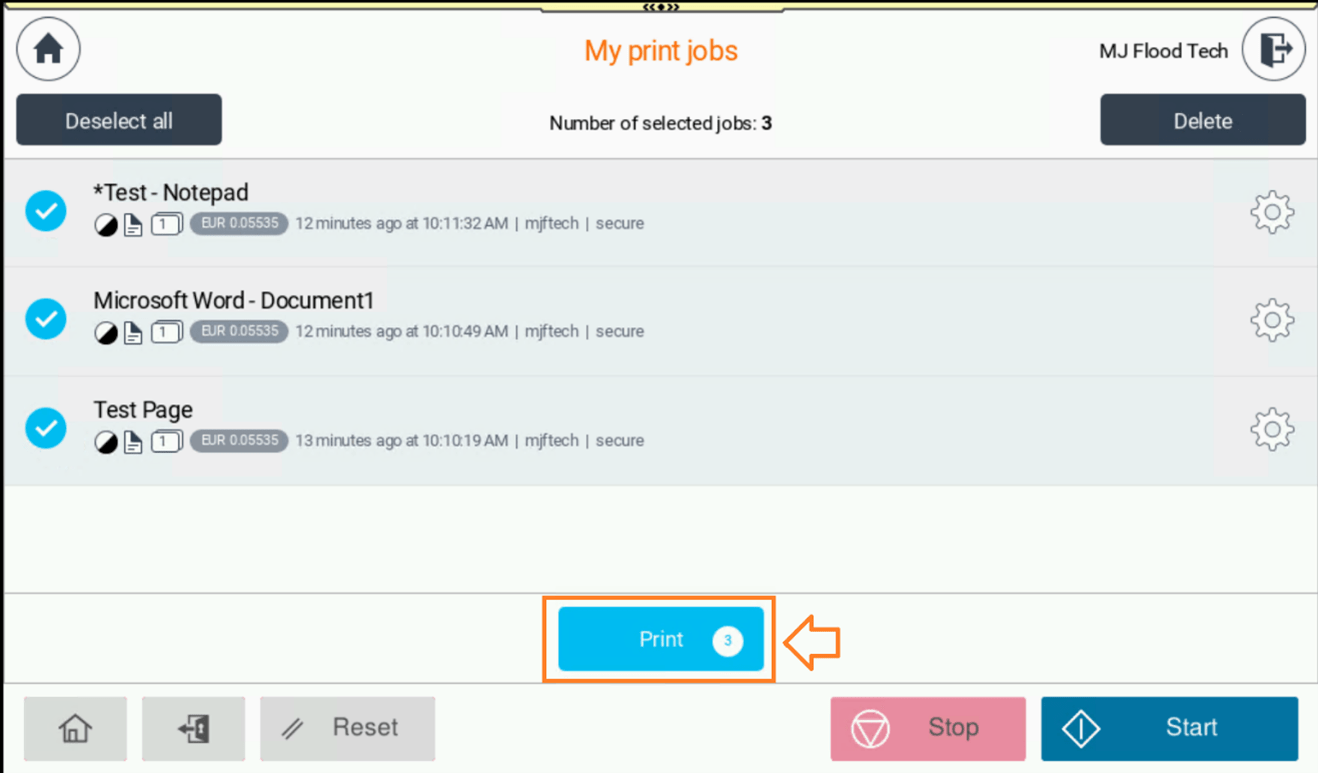
- Press Print/Start
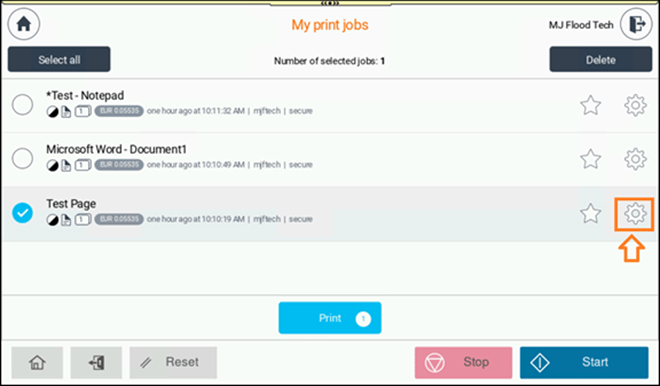
Optional: To change output print settings at printer per print job, press clog wheel
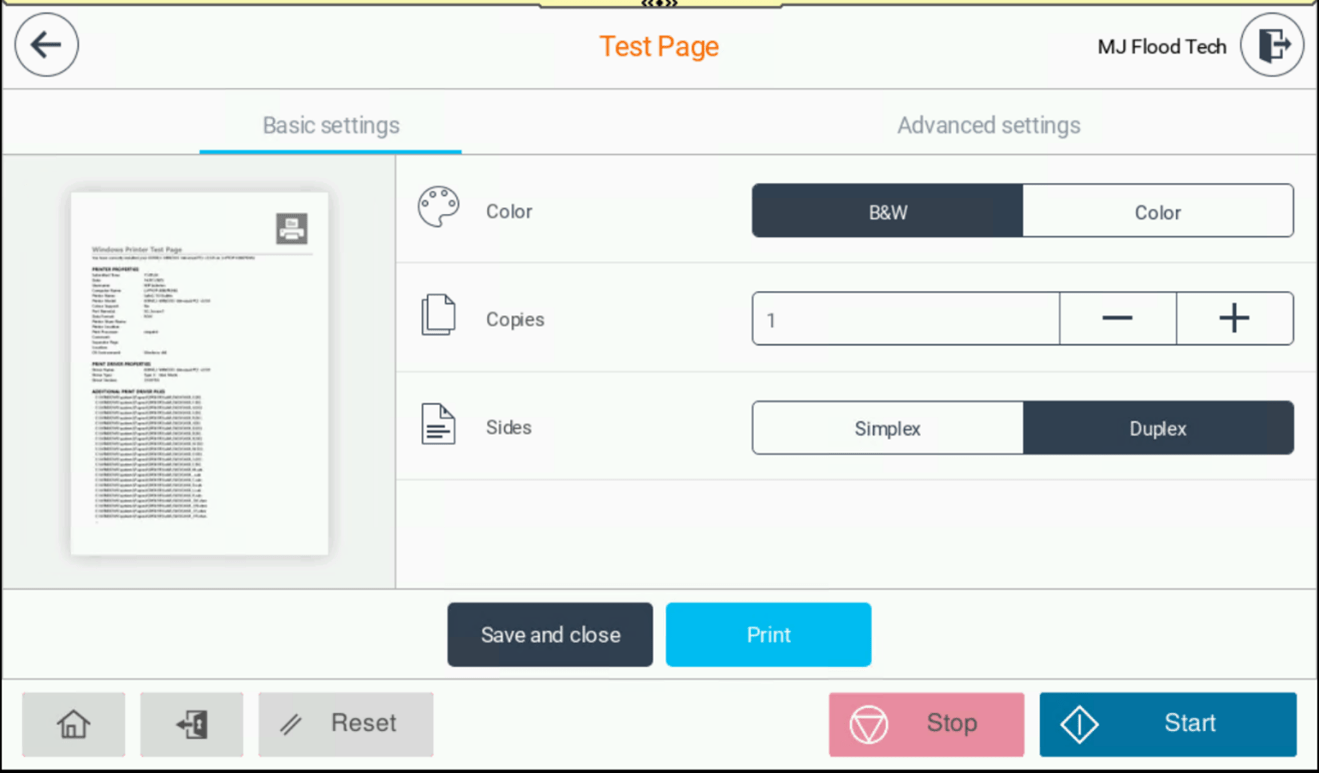
- Change required output settings.
- Press Print/Start
- To log out press the Access key
- Login to Multi-Function Printer.
- Place your document on the scanner.
- Tap “SafeQ Scan” on the touchscreen
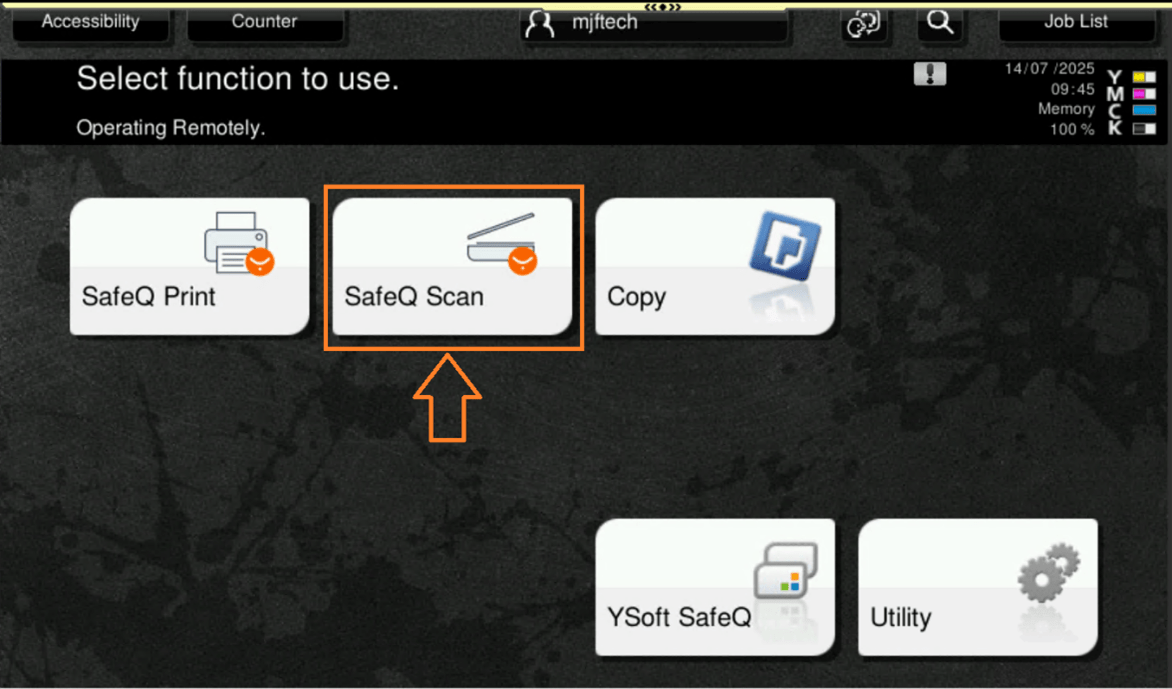
- Select Scan to My Email
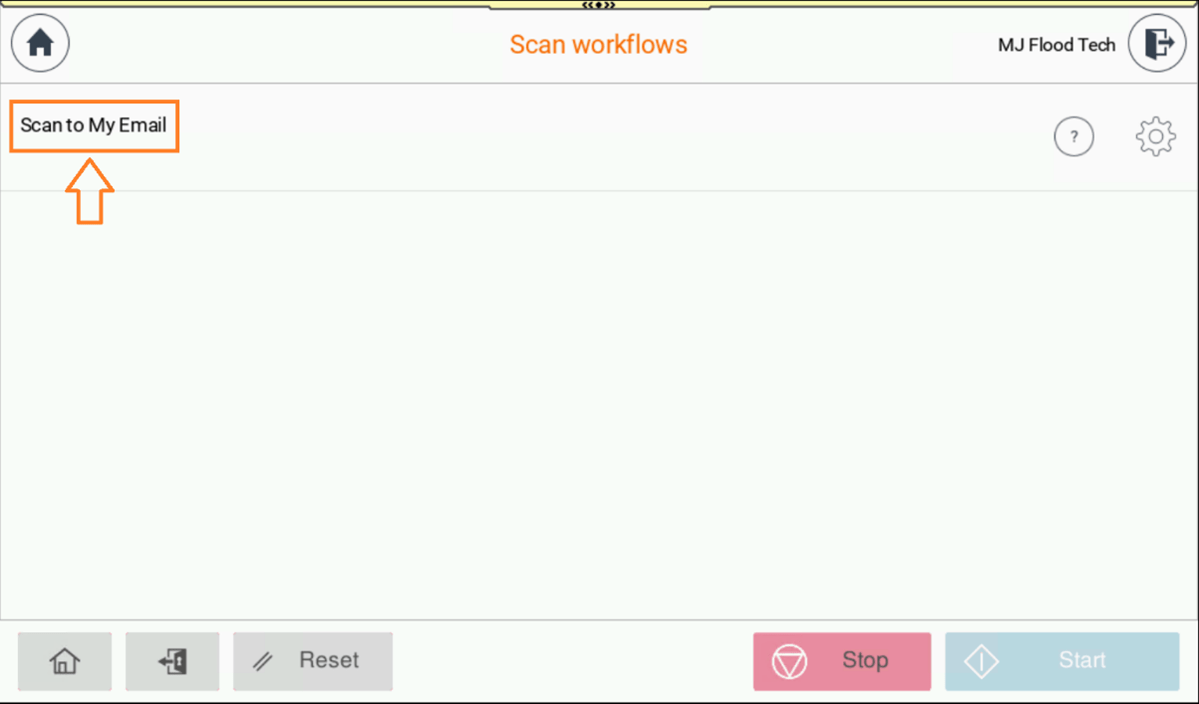
- Press Scan/Start
- Optional: To change default scan settings press the clog key
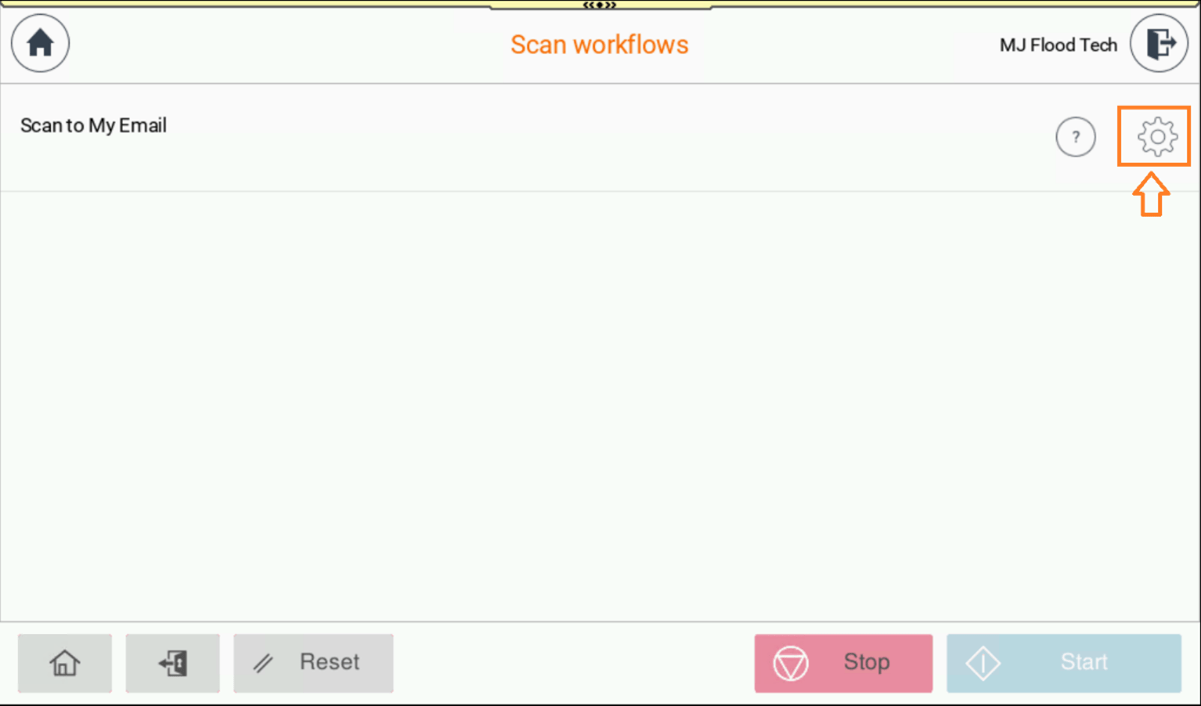
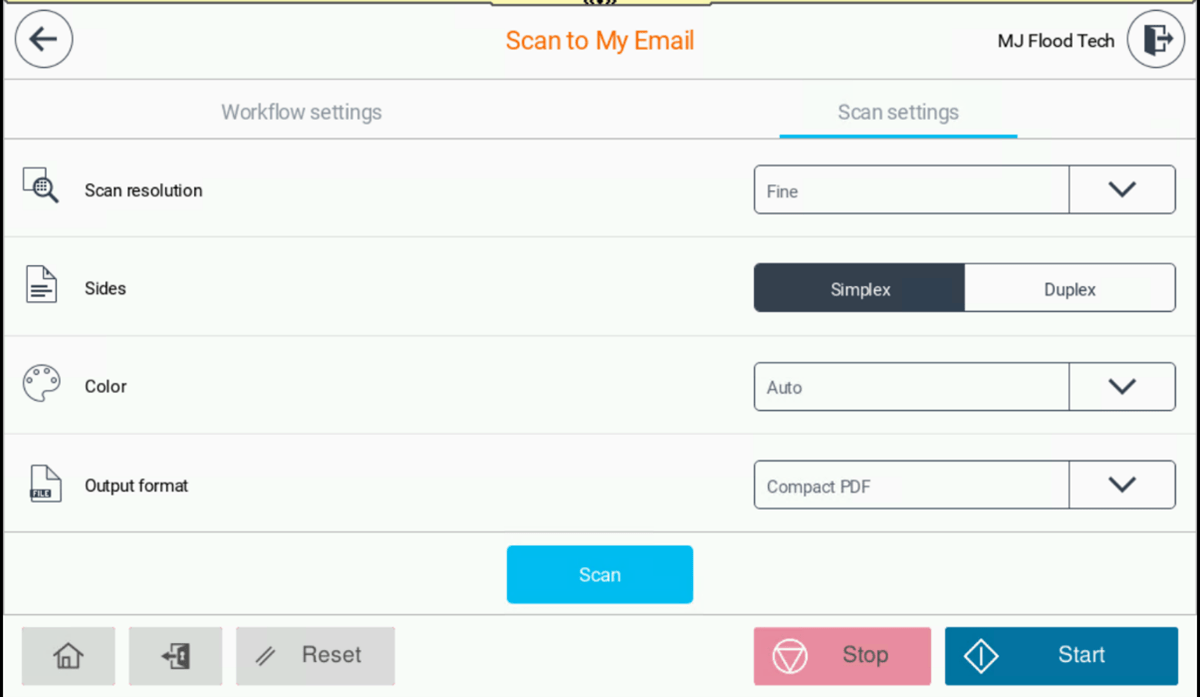
- Press Scan/Start
- Login to Multi-Function Printer.
- Place your document face down on the scanner glass or face up in the feeder.
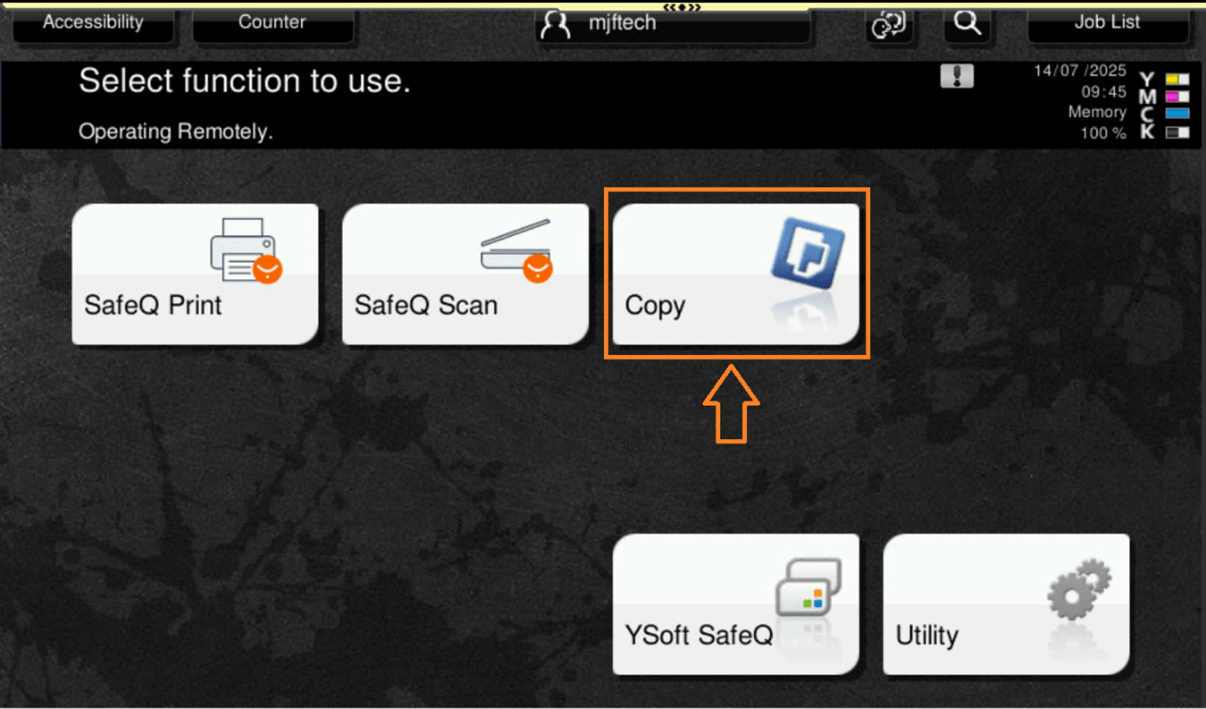
- Tap “Copy” on the touchscreen
- Choose settings (e.g. number of copies, colour, size etc)
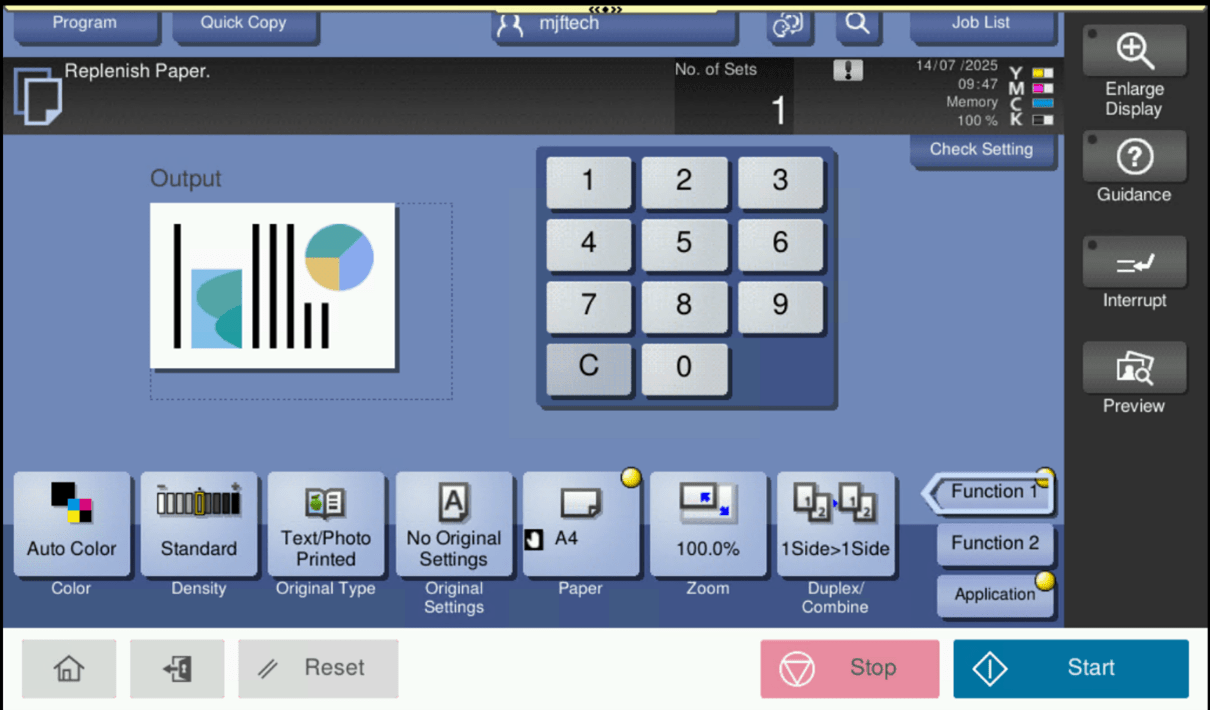
- Press Start
| Print Portal | Web Address | Services |
|---|---|---|
| Print Account Management | https://print-account.tudublin.ie | Generate PIN/card activation codes |
| Print End User Interface | https://print.tudublin.ie | Upload print jobs over web, account top-up |
Student Information
Below is additional information for student printing
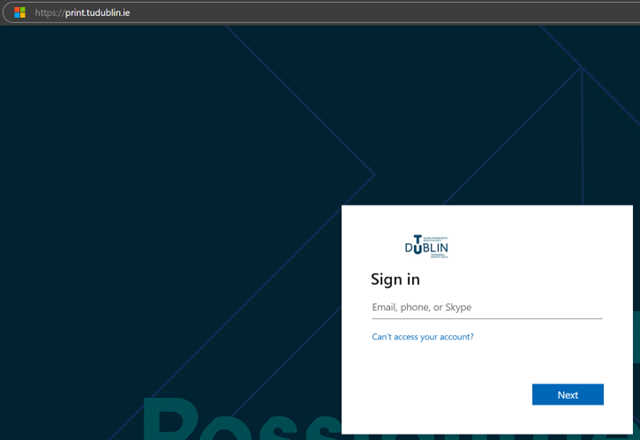
- Go to the print End User web Interface Portal web address: https://print.tudublin.ie
- Log in with your TU Dublin credentials.
- Select Payment option
- Recharge credit
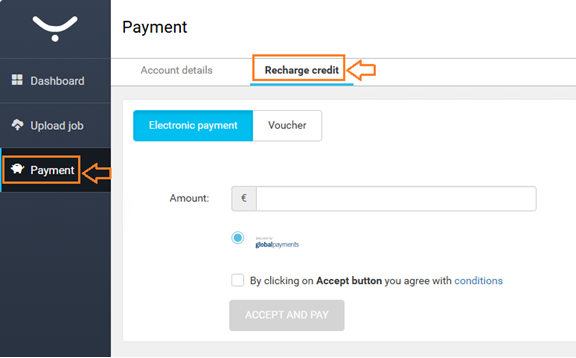
- Enter top-up amount (minimum €2.00).
- Accept conditions
- Accept and Pay
- Enter Card details
- Pay Now
*Please note, there are no top-up stations on campus any more. Student accounts can only be topped up Online*
Below are the costs of using the printing & photocopying services:
| Paper Size | B&W/Colour | Price € |
|---|---|---|
| A4 - Single-sided | B&W | 0.055 |
| A4 - Double-sided | B&W | 0.098 |
| A4 - Single-sided | Colour | 0.092 |
| A4 - Double-sided | Colour | 0.172 |
| A3 - Single-sided | B&W | 0.067 |
| A3 - Double-sided | B&W | 0.110 |
| A3 - Single-sided | Colour | 0.104 |
| A3 - Double-sided | Colour | 0.184 |
For further information, please contact MJ Flood at service@mjflood.ie or 01-4663500
Aungier Street
- Open Plan Learning Space - Ground Floor
- Library - 3 x Printers - 1st Floor
- AIB Office across from Rm 1020 - 1st Floor
- Beside lift outside Rm 2092 - 2nd Floor
- Outside Rm 2046 - 2nd Floor
- Learning Space beside Rm 3068 - 3rd Floor
- Learning Space beside Rm 4067 - 4th Floor
Blanchardstown
- Block F, Library - 2 x Printers - 1st Floor
- Block F, Library - 2nd Floor
- Block E, E103 - 1st Floor
- Block D, Corridor - Ground Floor
- Block E, E124 - 1st Floor
- Block A, Learning Space - Ground Floor
- Block G, Corridor - 2nd Floor
- Block G, Corridor - 1st Floor
Bolton Street
- Library Print Room - 2 x Printers - 3rd Floor
- Library, beside Print Room - 3rd Floor
- Outside Rm 444 - 4th Floor
- Rm 369.9 - 3rd Floor
- Linen Hall, Open Plan - Ground Floor
- Linen Hall, Studio 8B - 1st Floor
- Linen Hall, Studio 7 - 2nd Floor
- TU Dublin Airport Hangar
Grangegorman
- Central Quad, outside CQLG22 - Lower Ground Floor
- Central Quad, outside CQ010 - Ground Floor
- Central Quad, outside CQ114 - 1st Floor
- Central Quad, outside CQ427 - 4th Floor
- East Quad, outside EQ104 - 1st Floor
- East Quad, outside EQ204 - 2nd Floor
- East Quad, outside EQ302 - 3rd Floor
- East Quad, outside EQ402 - 4th Floor
- Park House, Library, PH111 - 1st Floor
- Park House, Library, PH211 - 2nd Floor
Tallaght
- Library - Ground Floor
- Library - 1st Floor
- Red Stairs - Ground Floor
- Green Stairs - 2nd Floor
- Outside Rm 107 - 1st Floor
- Lab 233 - 2nd Floor
- Sports Building - Ground Floor
- North House, Corridor - 1st Floor
- North House, Corridor - 2nd Floor
- Premier House